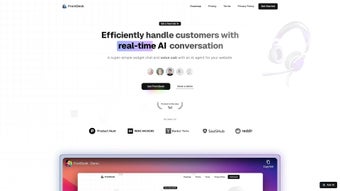

Download FrontDesk – AI‑Powered Customer Service Tool for Secure, 24/7 Support
Overview
FrontDesk is an AI‑driven web application that redefines how businesses handle customer interactions. By automating routine inquiries, booking assistance, and appointment scheduling, FrontDesk frees up human agents to focus on high‑value problems. The platform leverages autonomous AI agents that work around the clock, delivering instant, accurate responses to both simple and complex questions.
This 24/7 availability not only shortens response times but also boosts overall customer satisfaction, fostering loyalty in sectors where prompt service is critical—such as retail, hospitality, and health‑care. FrontDesk’s intelligent workflow engine learns from each interaction, continuously improving its knowledge base and reducing the likelihood of errors. In addition to its conversational capabilities, the tool integrates a robust calendar system that syncs with popular scheduling platforms, ensuring that appointments are booked, confirmed, and reminded without manual effort.
For businesses looking to scale their support operations without a proportional increase in staff, FrontDesk offers a secure, cloud‑based solution that can be accessed from any modern browser. Its design emphasizes data privacy, complying with GDPR, CCPA, and other regional regulations, while providing administrators with granular control over user permissions and AI behavior. Whether you’re a small boutique or a large hotel chain, FrontDesk promises to streamline customer service, cut operational costs, and elevate the overall quality of support delivered.
Beyond basic chat functionality, FrontDesk includes built‑in analytics that surface trends, allowing managers to identify peak inquiry periods and adjust staffing accordingly. The platform also supports multilingual interactions, automatically detecting a visitor’s language and responding in the appropriate tongue. This combination of automation, customization, and compliance makes FrontDesk a versatile tool for any organization that values fast, reliable, and secure customer engagement.
Key Features that Set FrontDesk Apart
- Autonomous AI Agents: Self‑learning bots that handle inquiries, FAQs, and complex problem solving without human supervision.
- 24/7 Support Availability: Guarantees round‑the‑clock assistance, eliminating downtime for global customers.
- Smart Booking Engine: Integrated calendar that automates appointment creation, rescheduling, and reminder notifications.
- Multi‑Channel Integration: Connects with web chat, email, Facebook Messenger, and WhatsApp for a unified experience.
- Real‑Time Analytics Dashboard: Provides insights on response times, satisfaction scores, and agent performance.
- Customizable Knowledge Base: Allows businesses to feed industry‑specific data, ensuring relevant answers.
- GDPR‑Compliant Data Handling: Built‑in encryption and consent management to protect customer information.
- Seamless Third‑Party Sync: Works with Google Calendar, Outlook, and popular CRM tools like HubSpot and Salesforce.
- Scalable Architecture: Cloud‑native infrastructure that grows with your traffic demands.
- Multi‑Language Support: AI agents can converse in over 20 languages, expanding your global reach.
Each feature is designed with practicality in mind. For example, the smart booking engine not only records an appointment but also cross‑checks staff availability, reduces double‑booking, and sends automated confirmation emails. The analytics dashboard surfaces trends such as peak inquiry periods, enabling managers to allocate resources more efficiently.
Moreover, the AI’s ability to learn from past interactions means that the system becomes more accurate over time, reducing the need for constant manual updates. FrontDesk also offers a “Persona Builder” that lets administrators fine‑tune the tone of the AI—whether you need a formal corporate voice or a friendly, conversational style. The platform’s extensibility is highlighted by its robust API library, allowing developers to craft custom integrations or trigger workflows in external tools like Zapier or Microsoft Power Automate.
Security‑focused features such as role‑based access control and audit logs ensure that only authorized personnel can modify critical settings, while the built‑in consent manager helps you stay compliant with evolving privacy laws. Together, these capabilities position FrontDesk as a comprehensive solution for businesses that need both conversational AI and sophisticated scheduling functionality, all wrapped in a secure, user‑friendly interface.
Installation, Usage & Compatibility
Quick Installation Steps
FrontDesk is a web‑based SaaS platform, so there is no traditional software download required. To get started, follow these three simple steps:
- Create an Account: Visit the FrontDesk homepage, click “Sign Up,” and provide your business email. A verification link will be sent to confirm your identity.
- Configure Your Workspace: After logging in, use the setup wizard to import your existing FAQ database, connect your calendar (Google, Outlook, or iCal), and set up communication channels (chat widgets, email, social media).
- Train the AI: Upload product manuals, policy documents, or any relevant content. The system will automatically index the material and begin training its language model. This process usually completes within 30‑60 minutes.
Day‑to‑Day Usage
Once the initial setup is complete, FrontDesk’s dashboard becomes your command center. From here you can monitor live chats, review AI performance metrics, and manually intervene when a conversation requires human expertise. The platform also includes a “Knowledge Builder” where you can add new FAQs or edit existing answers without touching code. For staff members, a role‑based access control system ensures that agents only see the tickets and data relevant to their responsibilities. The AI can be toggled on or off per channel, giving you the flexibility to test new workflows before full deployment.
Advanced users can take advantage of the built‑in workflow editor to design multi‑step processes—such as automatically escalating high‑priority tickets to senior agents or triggering a follow‑up email after a booking is confirmed. The system logs every interaction, providing a complete audit trail that satisfies compliance audits and helps you refine your support strategies over time.
Operating System Compatibility
FrontDesk runs in any modern browser, making it compatible with Windows 10/11, macOS Ventura and later, Linux distributions, as well as mobile browsers on Android 12+ and iOS 15+. Because it is cloud‑hosted, there is no need for local installations or specific hardware requirements, and the service automatically scales to handle high traffic spikes.
Security updates and feature enhancements are pushed directly to the platform, ensuring that all users benefit from the latest improvements without manual patching. This “always‑up‑to‑date” model reduces IT overhead and guarantees a secure, stable environment for handling sensitive customer data. Additionally, FrontDesk supports single sign‑on (SSO) via SAML or OAuth, allowing seamless integration with corporate identity providers such as Azure AD, Okta, or Google Workspace.
Pros, Cons, and Frequently Asked Questions
Pros
- Highly automated, reducing labor costs.
- 24/7 availability improves customer satisfaction.
- Integrated booking system eliminates separate scheduling tools.
- Scalable cloud architecture fits businesses of any size.
- Multi‑language support expands global reach.
- Robust analytics provide actionable insights.
- Strong data‑privacy compliance (GDPR, CCPA).
- Extensive third‑party integrations via API and webhooks.
Cons
- Initial AI training requires quality data to reach peak performance.
- Dependence on internet connectivity; offline usage is not possible.
- Pricing may be higher for small startups compared to basic chatbot services.
- Customization of complex workflows may need developer assistance.
FAQ
Can FrontDesk handle sensitive customer data securely?
Yes. FrontDesk complies with GDPR, CCPA, and other regional privacy regulations. All data is encrypted in transit (TLS 1.3) and at rest (AES‑256). Administrators can also configure data retention policies and consent dialogs to meet specific compliance needs.
Is there a free trial or a free tier available?
FrontDesk offers a 14‑day free trial with full feature access. After the trial, you can choose from tiered subscription plans based on the number of active agents and monthly chat volume.
How does FrontDesk integrate with existing CRMs?
Native integrations are available for HubSpot, Salesforce, and Zoho CRM. For other platforms, FrontDesk provides RESTful APIs and webhook support, allowing custom data syncs and automated ticket creation.
Can I customize the AI’s tone and language?
Absolutely. The “Persona Builder” lets you define tone (formal, friendly, brand‑specific) and set language preferences. You can also upload sample dialogues to fine‑tune the model’s style.
What support options are available if I encounter issues?
FrontDesk provides email support, live chat, and a dedicated account manager for enterprise plans. The knowledge base includes step‑by‑step guides, video tutorials, and a community forum for peer assistance.
Does FrontDesk offer single sign‑on (SSO) capabilities?
Yes. FrontDesk supports SSO via SAML and OAuth, making it easy to integrate with Azure AD, Okta, Google Workspace, and other identity providers.
Overall Rating: 4.6/5
Pros: Automation, 24/7 availability, integrated booking, multilingual AI, strong analytics.
Cons: Requires good data for training, no offline mode, higher price for tiny teams.
Conclusion & Call to Action
FrontDesk delivers a compelling blend of AI‑driven conversation, automated scheduling, and robust analytics—all within a secure, cloud‑first environment. For businesses that juggle high inquiry volumes and complex booking workflows, the platform offers a clear productivity boost while keeping customers happy with instant, accurate responses. The initial learning curve is modest, especially if you already have a well‑structured FAQ or knowledge base. Once the AI is trained, you’ll notice reduced ticket backlogs, shorter handling times, and a measurable increase in repeat business.
If you’re ready to modernize your customer service operations, eliminate manual scheduling headaches, and provide 24/7 support without hiring additional staff, FrontDesk is a solid investment. Start your free 14‑day trial today, explore the dashboard, and see firsthand how autonomous AI agents can transform your service desk.
Click here to sign up now and experience the future of customer interaction.



.png)



